Custom Domain Setup: Your Complete Implementation Guide
Branded short links build trust, but setup seems technical. This guide walks through custom domain configuration, DNS records, SSL certificates, and common troubleshooting.
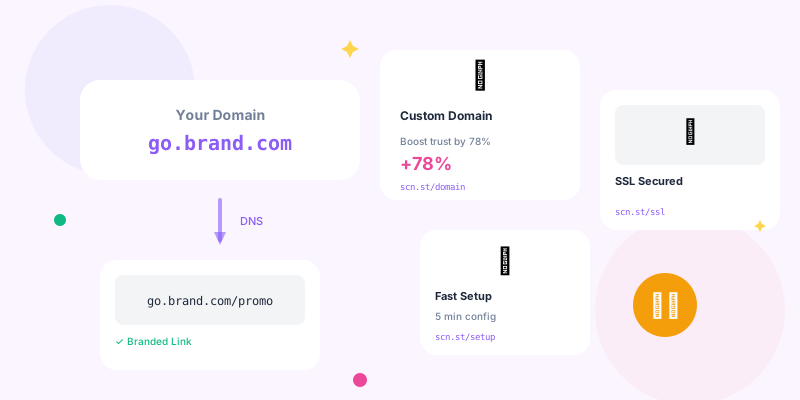
scn.st/links into branded yourbrand.co/links that build trust and recognition. It's easier than you think—this guide shows you exactly how.
Custom domains for your shortened links aren't just nice to have—they're essential for brand credibility. Here's your complete guide to setting up branded short links properly.
Why Custom Domains Matter
- Brand Recognition: Every link reinforces your brand identity
- Trust Building: Recognizable domains reduce click hesitation
- Professional Appearance: Shows attention to detail and investment in quality
- Security Perception: Users trust known domains over anonymous shorteners
- Control: Complete ownership and management of your link infrastructure
Generic vs Branded Comparison
- Generic:
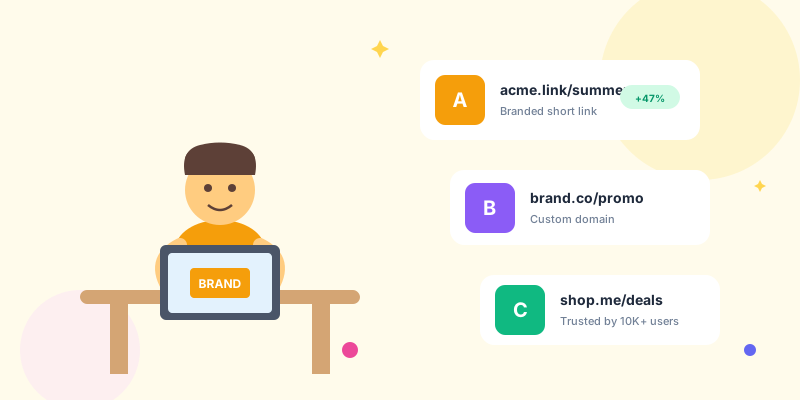
bit.ly/x7k3p9- Anonymous, forgettable, potentially spammy - Branded:
nike.run/summer-sale- Trustworthy, memorable, professional
Choosing Your Custom Domain
Domain Strategy Options
- Subdomain:
go.yourbrand.com- Easy setup, uses existing domain - Short TLD:
yourbrand.cooryourbrand.io- Clean, concise - Branded Short:
ybrand.to- Ultra-short, creative alternatives
Popular Short TLD Options
- .co: Popular, trusted, widely available
- .io: Tech-focused, developer-friendly
- .to: Perfect for "go to" semantics
- .ly: Classic shortener feel (but Libya domain)
- .link: Obvious purpose, good availability
- .me: Personal brand-friendly
Domain Naming Best Practices
- Short: 6-10 characters ideal (leaves room for slugs)
- Memorable: Easy to spell and recall
- Brandable: Clearly connected to your main brand
- Pronounceable: Works in verbal communication
- Avoid Confusion: No ambiguous characters (0/O, 1/l)
Technical Setup Process
Step 1: Purchase Your Domain
Recommended registrars:
- Cloudflare: No markup pricing, excellent DNS management
- Namecheap: User-friendly, affordable
- Google Domains: Simple interface (now Squarespace)
- Hover: Clean UX, good support
Step 2: Configure DNS Records
You'll need to add DNS records pointing to your link shortener:
For Root Domain (yourbrand.co):
Type: A
Name: @
Value: [Your link shortener's IP address]
TTL: 3600
For WWW Subdomain:
Type: CNAME
Name: www
Value: yourbrand.co
TTL: 3600
For Custom Subdomain (go.yourbrand.com):
Type: CNAME
Name: go
Value: [Your link shortener's domain]
TTL: 3600Step 3: SSL Certificate Setup
HTTPS is mandatory for trust and security:
- Let's Encrypt: Free, auto-renewing (90-day certs)
- Cloudflare: Free SSL + CDN + DDoS protection
- Platform Managed: Most link shorteners handle SSL automatically
- Commercial SSL: Rarely necessary unless enterprise requirements
Step 4: Verify Configuration
Test your setup:
- DNS Propagation: Use
dig yourbrand.coor WhatsMyDNS.net - SSL Certificate: Visit https://yourbrand.co in browser
- Redirect Test: Create test link and verify redirect works
- HTTPS Enforcement: Confirm HTTP redirects to HTTPS
Platform-Specific Setup Guides
Cloudflare DNS Setup
- Log into Cloudflare dashboard
- Select your domain
- Click "DNS" in left sidebar
- Click "Add record"
- Type: A, Name: @, IPv4 address: [shortener IP]
- Ensure orange cloud is ON (proxied) for free SSL
- Save record
- Automatic SSL certificates
- CDN for faster global performance
- DDoS protection included
- Page rules for advanced routing
- Analytics and caching
Namecheap DNS Setup
- Log into Namecheap account
- Go to Domain List → Manage
- Click "Advanced DNS" tab
- Add New Record:
- Type: A Record, Host: @, Value: [shortener IP]
- Add CNAME: Host: www, Value: [your domain]
- Save changes
GoDaddy DNS Setup
- Log into GoDaddy account
- My Products → DNS
- Click "Add" under Records
- Type: A, Name: @, Value: [shortener IP]
- Save
Common Setup Issues and Solutions
DNS Not Propagating
- Check TTL: Previous records might be cached (wait for TTL expiry)
- Verify Records: Use
dig @8.8.8.8 yourbrand.coto check Google's DNS - Clear DNS Cache:
ipconfig /flushdns(Windows) orsudo dscacheutil -flushcache(Mac) - Wait Longer: Sometimes takes full 48 hours despite usual 1-2 hour propagation
SSL Certificate Errors
Common SSL issues:
- "Not Secure" Warning: SSL cert not installed or misconfigured
- Mixed Content: HTTP resources on HTTPS page
- Certificate Mismatch: Cert doesn't cover your domain
- Expired Certificate: Auto-renewal failed
Solutions:
- Enable Cloudflare proxy (orange cloud) for automatic SSL
- Contact link shortener support for certificate installation
- Ensure HTTPS redirect is enabled
- Check certificate expiry date and renewal settings
Redirect Not Working
- Verify DNS: Ensure domain points to correct server
- Check Platform Settings: Confirm custom domain is activated in link shortener dashboard
- Test Direct IP: Visit shortener IP directly to verify service is running
- Clear Browser Cache: Old redirects might be cached
Advanced Configuration
Subdomain Strategy
Use multiple subdomains for different purposes:
- go.yourbrand.com: General marketing links
- learn.yourbrand.com: Educational content and resources
- shop.yourbrand.com: E-commerce product links
- event.yourbrand.com: Event registration and info
Redirect Rules
Set up smart redirect behavior:
- Root Domain: Redirect
yourbrand.coto main website - 404 Pages: Custom branded error pages for invalid slugs
- QR Landing: Special mobile-optimized pages for QR scans
- If URL matches:
yourbrand.co/* - Then: Forward to
https://www.yourbrand.com - Status Code: 301 (Permanent Redirect)
DNSSEC Setup
Add extra security layer:
- Enable DNSSEC in your registrar
- Add DS records provided by registrar
- Verify DNSSEC is working with online tools
Performance Optimization
- Use CDN: Cloudflare or similar for global distribution
- Low TTL Initially: Fast iteration during setup
- High TTL After: Reduce DNS lookup time once stable
- HTTP/2 Support: Ensure your platform supports modern protocols
- Server Location: Choose hosting regions close to your audience
Security Considerations
- ✅ Enable domain lock at registrar (prevents unauthorized transfers)
- ✅ Use strong, unique password for registrar account
- ✅ Enable 2FA on registrar and DNS provider
- ✅ Set up domain auto-renewal (don't let it expire)
- ✅ Monitor DNS records for unauthorized changes
- ✅ Use HTTPS only (no plain HTTP)
- ✅ Implement CAA records (control SSL certificate issuance)
Prevent Domain Hijacking
- Registrar Lock: Prevents domain transfers without explicit unlock
- Registry Lock: Extra layer available for high-value domains
- Email Alerts: Get notified of any domain/DNS changes
- Separate Accounts: Don't use the same login for registrar and email
Maintenance and Monitoring
- Monthly: Verify links still redirect correctly
- Quarterly: Review SSL certificate expiry dates
- Annually: Domain renewal (set to auto-renew)
- Continuously: Monitor DNS for unauthorized changes
Monitoring Tools
- UptimeRobot: Free uptime monitoring
- Pingdom: Performance and availability monitoring
- StatusCake: Multi-location testing
- Cloudflare Analytics: Traffic and performance metrics
Multi-Domain Strategy
Advanced users run multiple custom domains:
- Brand Portfolio: Different domains for different brands
- Geographic: Region-specific domains (yourbrand.uk, yourbrand.de)
- Purpose-Based: Event domains, campaign-specific domains
- A/B Testing: Test which domains perform better
Conclusion
Custom domain setup takes 30 minutes of work but delivers permanent brand value. Every link becomes a mini advertisement for your brand, building trust and recognition with every share.
Follow this guide, be patient with DNS propagation, and you'll have professional branded short links that elevate your entire digital presence. Stop using generic shorteners—your brand deserves better.