How to Add a Link in Bio on Instagram, TikTok & More
Step-by-step guide to adding a link in bio on every major platform — plus how to create a bio page so one link goes to all your content.
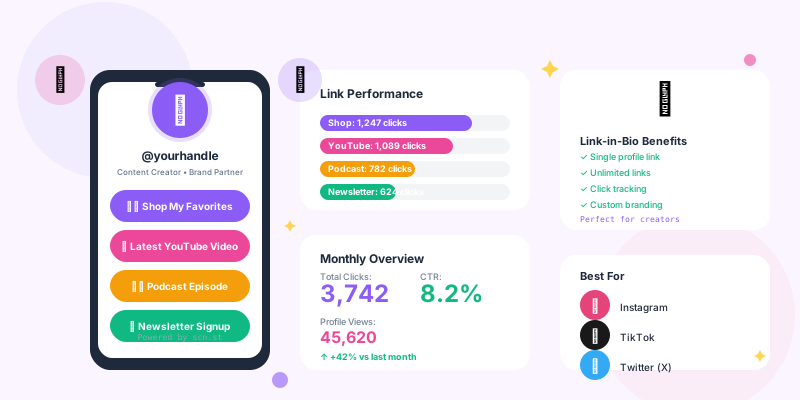
Every major social platform lets you add one link to your profile — your "link in bio." Here's exactly how to set it on each platform, and how to make that one link go further by pointing it to a bio page with all your content.
How to add a link in bio on Instagram
On mobile
- Open Instagram and tap your profile icon (bottom right)
- Tap Edit profile
- Tap Links (or "Add link" if empty)
- Tap Add external link
- Enter your URL and an optional title
- Tap Done, then Done again
On desktop
- Go to instagram.com and click your avatar
- Click Edit profile
- Scroll to Links and click Add link
- Enter your URL and save
How to add a link in bio on TikTok
Personal accounts can only add a link via the desktop version. Business accounts get the link field on mobile too — switching is free and takes one minute.
Switch to a Business Account (recommended)
- Go to Profile → Menu (☰) → Settings → Manage account
- Tap Switch to Business Account
Add your link
- Tap Edit profile
- Tap Website
- Enter your URL
- Tap Save
Your link now appears on your TikTok profile as a clickable "Website" field.
How to add a link in bio on X (Twitter)
- Click your profile photo → Profile
- Click Edit profile
- Find the Website field
- Enter your URL (include
https://) - Click Save
How to add a link in bio on YouTube
- Go to YouTube Studio
- Click Customisation in the left menu
- Click the Basic info tab
- Scroll to Links → Add link
- Add your link title and URL
- Click Publish to save
YouTube also lets you pin up to 5 links on your channel banner for extra visibility.
How to add a link in bio on LinkedIn
Personal profile
- Click the pencil (Edit) icon on your profile
- Scroll to Contact info
- Click the pencil next to Website
- Add your URL and a label
- Save
Company page
- Click Edit page
- Add your website URL in the Website field
- Save changes
How to add a link in bio on Pinterest
- Click your profile → Edit profile
- Scroll to Website
- Enter your URL
- Click Save
Note: Pinterest requires website verification before the link becomes clickable in the feed.
Why one link isn't enough — use a bio page
Each platform gives you one link. But you probably want to share multiple things: your latest YouTube video, your newsletter, your shop, your podcast. Sending people to a single homepage means they have to hunt for what they want.
A link-in-bio page solves this. It's a simple mobile-optimised page that shows all your links in one place. You set your bio link to your bio page URL once, and every platform is covered.
How to create a link-in-bio page on scn.st
- Sign up at scn.st (free, no credit card)
- Go to Dashboard → Bio Profiles
- Click New Profile and set your username (e.g.
scn.st/u/yourname) - Add a display name, bio text, and profile photo
- Click Add Block to add link buttons, social icons, or a heading
- Choose a colour theme
- Copy your bio page URL and paste it into all your social bios
What to put in your link-in-bio page
Use your analytics to learn what your audience clicks most, but a strong starting point is:
- Your newest piece of content (video, blog post, product)
- Email newsletter sign-up
- Your main product or service
- Your most active social platform
- A "Start here" or "About me" page
How to track clicks on your bio link
When someone clicks your bio link and lands on your bio page, scn.st logs that as a view. When they click a specific link on the page, that's tracked as a click on that link.
From your bio profile dashboard you can see:
- Total profile views
- Click-through rate per link
- Top countries and devices
Use this data to move high-performing links higher on your page and remove ones nobody clicks.
Platform quick reference
| Platform | Where to find the link field |
|---|---|
| Edit profile → Links | |
| TikTok | Edit profile → Website (Business account) |
| X / Twitter | Edit profile → Website |
| YouTube | Studio → Customisation → Basic info |
| Edit profile → Contact info → Website | |
| Edit profile → Website |
For any platform that only allows one link, set it to your scn.st bio page to surface all your content in one click.
Looking for a Linktree alternative that also shortens your links and generates QR codes? See how scn.st compares on the Linktree alternative page. For advanced tips on optimising your bio page performance, read The Complete Link-in-Bio Optimization Guide.