How to Track Link Clicks — 4 Methods From Simple to Advanced
Learn four ways to track link clicks: URL shortener analytics, UTM parameters, Google Analytics events, and server-side logging. With practical examples for each.

Tracking link clicks sounds simple, but there are four fundamentally different approaches — and choosing the wrong one means missing data. Here's each method, when to use it, and how to set it up.
Method 1: URL shortener analytics (simplest)
When you shorten a URL on scn.st, every click is automatically logged. No setup required.
What you get
- Total clicks — all time, 30-day, 7-day
- Clicks by country
- Clicks by device (mobile, desktop, tablet)
- Clicks by browser
- Clicks by referrer (where people came from)
- Clicks over time — day-by-day chart
How to access it
- Log in to your scn.st dashboard
- Click any link to open its detail view
- View the Analytics tab
Best for: Social media links, campaign links, bio page links — anywhere you're sharing a specific URL and want to know if it gets clicked.
Limitation: You only see click data for links you've created on scn.st. To track traffic arriving at your own website pages, you also need UTM parameters (Method 2).
Method 2: UTM parameters (for Google Analytics)
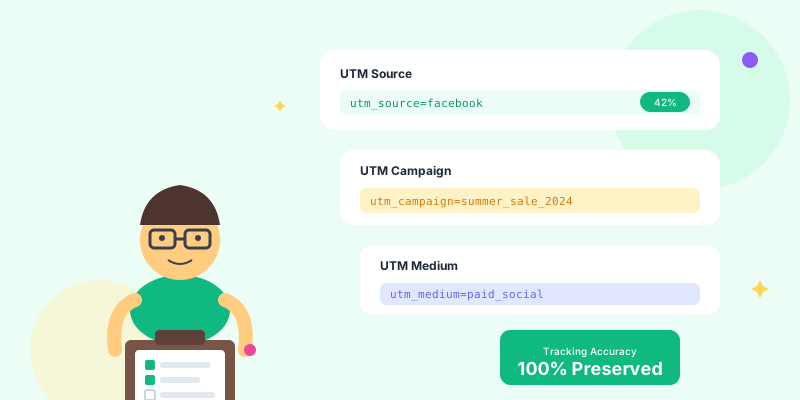
UTM parameters are tags you add to a URL that tell Google Analytics (or any analytics platform) where the click came from.
The five UTM parameters
| Parameter | Purpose | Example value |
|---|---|---|
utm_source | Where the traffic comes from | |
utm_medium | The marketing channel | social |
utm_campaign | The campaign name | spring-sale |
utm_content | The specific link or ad | hero-cta |
utm_term | Keyword (paid search only) | url shortener |
Example URL with UTM tags
https://example.com/page?utm_source=instagram&utm_medium=social&utm_campaign=spring-sale&utm_content=bio-linkHow to build a UTM-tagged URL
- Build your destination URL with UTM parameters appended
- Go to your scn.st dashboard and create a new link using that UTM URL as the destination
- The resulting short link carries the UTM data through to your analytics platform
Best for: Any link that drives traffic to your own website — email campaigns, paid ads, social posts, newsletter CTAs.
Method 3: Google Analytics click events
For tracking clicks on links within your website (e.g. a link inside an article, a button in a navigation menu), Google Analytics 4 lets you track those as events.
GA4 automatically tracks outbound link clicks — no custom code needed. In GA4:
- Go to Reports → Engagement → Events
- Look for the click event
- Filter by
link_urlto see which external URLs are being clicked
For internal links or custom elements, you can fire a GA4 custom event using a data attribute on the link and a small JavaScript listener. This lets you track which CTAs, navigation items, or content links drive conversions within your own site.
Best for: Tracking which CTA button converts best, which navigation links get used, or which in-article links drive sign-ups.
Method 4: Server-side click logging
For complete control — especially useful for APIs, email link wrapping, or compliance-sensitive applications — log clicks on your own server.
How it works
- All links go through a redirect endpoint on your server (e.g.
yourapp.com/go/campaign-name) - The endpoint logs the click — timestamp, IP hash, user agent, referrer — to your database
- It then 301-redirects to the destination URL
Best for: SaaS applications, affiliate tracking, email link wrapping, privacy-compliant analytics without third-party scripts.
Which method should you use?
| Scenario | Best method |
|---|---|
| Tracking social media campaign links | URL shortener analytics (Method 1) |
| Measuring which channel drives website sign-ups | UTM parameters + GA4 (Method 2) |
| Tracking which CTA button converts best on your site | GA4 events (Method 3) |
| Building an affiliate or SaaS link system | Server-side logging (Method 4) |
| All of the above | Combine Methods 1 + 2 |
The most common and powerful combination: shorten your UTM-tagged URLs on scn.st. You get click data from the shortener analytics (country, device, referrer) and UTM data flows through to GA4 (source, medium, campaign). Two layers of insight with one link.
Combining URL shortener analytics with UTM parameters
Here's the exact workflow:
- Build your destination URL with UTM parameters:
https://example.com/signup?utm_source=newsletter&utm_medium=email&utm_campaign=april-launch - Shorten it on scn.st with a readable slug:
scn.st/april-launch - Share
scn.st/april-launchin your email
What you now see:
- scn.st dashboard: total clicks, 62% mobile, top countries US/UK/CA
- GA4: sessions from newsletter/email/april-launch, exact sign-up count
You know both how many people clicked and how many converted.
Common tracking mistakes to avoid
Inconsistent UTM casing
Using "Instagram" in one link and "instagram" in another creates two separate rows in GA4. Keep all UTM values lowercase and consistent. Document your naming conventions in a shared spreadsheet.
Confusing clicks with conversions
A click is not a conversion. A form submission, purchase, or sign-up is a conversion. Track both, but don't report clicks as success — only conversions prove business impact.
Not tagging email links
Email traffic shows as "direct" in GA4 without UTM tags — a black hole for attribution. Always tag email links with utm_medium=email.
Adding UTM parameters to internal links
Tagging links between your own pages overwrites the original traffic source in GA4. Only tag links to your site from external sources (email, social, ads).
Summary
- Campaign links: Use scn.st to shorten and automatically track clicks by country, device, and referrer
- Website traffic attribution: Add UTM parameters before shortening — data flows to GA4
- On-site behaviour: Use GA4 automatic click events or custom events
- Full server-side control: Build redirect tracking into your application
For a deeper dive into analytics strategy, see the complete link tracking analytics guide or the UTM parameters guide for advanced campaign attribution.