Link Retargeting: Turn Every Click Into a Remarketing Opportunity
Most marketers waste their best retargeting opportunities by not tracking link clicks properly. Learn how to build audiences from every shortened link and maximize ad spend efficiency.
Every link click represents someone interested enough to take action. Yet most businesses let 98% of those people disappear forever. Link retargeting changes that equation completely.
What Is Link Retargeting?
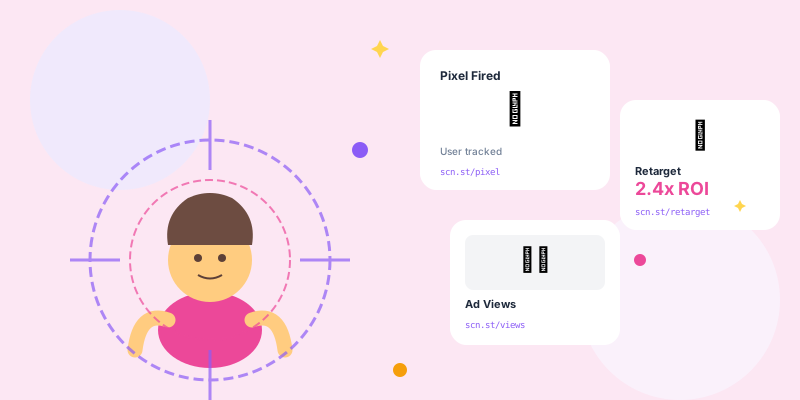
Link retargeting embeds tracking pixels in your shortened URLs. Anyone who clicks gets added to custom audiences for remarketing campaigns. It's powerful because it captures intent before they even reach your website.
- Captures Intent Early: Track interest at the click level, not just site visitors
- Platform Agnostic: Works across social media, email, SMS, anywhere you share links
- Granular Segmentation: Build separate audiences for different campaigns
- Cross-Platform Tracking: Follow users across devices and platforms
How Link Retargeting Works
The Technical Process
- Add Pixel to Short Link: Embed Facebook Pixel, Google Ads tag, or custom pixels
- User Clicks Link: Pixel fires before redirect, user gets cookied
- Build Custom Audience: Collect clickers into retargeting pools
- Launch Retargeting Ads: Show targeted ads to engaged audiences
Platform-Specific Strategies
Facebook/Instagram Retargeting
Facebook Pixel integration allows sophisticated audience building:
- Custom Audiences: Anyone who clicked your Instagram bio link
- Lookalike Audiences: Find similar users to your clickers
- Engagement-Based: Target people who clicked but didn't convert
- Time-Based Exclusions: Exclude recent converters
Google Ads Retargeting
Google Ads remarketing tag integration enables:
- Display Network Ads: Show ads across 2 million+ websites
- YouTube Remarketing: Video ads to people who clicked your links
- Search Remarketing: Bid higher when clickers search relevant terms
- Dynamic Remarketing: Show specific products they viewed
LinkedIn Retargeting
Particularly powerful for B2B campaigns:
- Matched Audiences: Upload email lists of clickers
- Company Targeting: Target by company size, industry, role
- Lead Gen Forms: Pre-filled forms for retargeted audiences
- Event Retargeting: Follow up with webinar link clickers
Advanced Link Retargeting Tactics
Sequential Retargeting
Show different messages based on user journey stage:
- Day 1-3: Educational content, build trust
- Day 4-7: Product benefits, customer testimonials
- Day 8-14: Limited-time offer, urgency messaging
- Day 15+: Last chance or alternative products
- Ad 1 (Day 1-3): "Thanks for checking out our guide! Here are 3 more resources..."
- Ad 2 (Day 4-7): "See how 10,000+ marketers use our platform..."
- Ad 3 (Day 8-14): "20% off for first-time users - this week only"
Cross-Channel Retargeting
Follow users across their entire digital footprint:
- Clicked email link → See Instagram ad
- Clicked Instagram Story → See Facebook ad
- Clicked Facebook ad → See Google Display ad
- Clicked Twitter link → See YouTube pre-roll
Negative Retargeting
Exclude people who shouldn't see ads:
- Recent Buyers: Don't waste budget on existing customers (unless upselling)
- Job Applicants: Exclude people who clicked career page links
- Support Seekers: Don't retarget help center visitors with sales ads
- Wrong Audience: Remove people who bounced immediately
Building High-Value Audiences
- Product Interest: Separate audiences for different product categories
- Engagement Level: Clicked once vs clicked 3+ times
- Time-Based: Recent clickers vs older cold audiences
- Source-Based: Email clickers vs social clickers behave differently
High-Intent Audiences
These audiences convert at 5-10x the rate of cold traffic:
- Clicked pricing page link
- Clicked "buy now" or "get started" links
- Clicked product demo links
- Clicked sale/promotion links
- Clicked checkout abandonment emails
Mid-Funnel Audiences
Warm audiences that need nurturing:
- Blog content link clickers
- Case study or testimonial page visitors
- Feature comparison link clickers
- FAQ or help center visitors
Privacy-Compliant Link Retargeting
- Cookie Consent: Obtain proper consent before firing tracking pixels
- Privacy Policy: Disclose retargeting practices clearly
- Opt-Out Options: Respect user preferences and ad settings
- Data Retention: Don't keep retargeting data longer than necessary (30-180 days)
GDPR Compliance
- Explicit consent required for EU visitors
- Clear explanation of tracking purposes
- Easy opt-out mechanisms
- Data processing agreements with pixel providers
CCPA Compliance
- California residents must be informed
- "Do Not Sell My Info" options
- Disclosure of third-party sharing
- Honor Global Privacy Control signals
Measuring Retargeting Performance
- Audience Size: How many people clicked and got pixeled
- Retargeting CTR: Click-through rate of retargeting ads (typically 2-5x higher than cold)
- Conversion Rate: Percentage of retargeted users who convert
- Cost Per Acquisition: Should be 50-70% lower than cold traffic
- Return on Ad Spend: Retargeting typically delivers 3-10x ROAS
Common Retargeting Mistakes
- No Frequency Caps: Showing ads 20+ times creates ad fatigue and annoyance
- Generic Messaging: Same ad for all audiences regardless of their journey stage
- Too Short Windows: 7-day windows miss most conversions (use 30-60 days)
- Not Excluding Converters: Wasting budget showing ads to recent buyers
- Single Platform: Only retargeting on Facebook when users are active across multiple platforms
- No Creative Variation: Same ad creative for weeks leads to banner blindness
Link Retargeting Setup Checklist
- Install tracking pixels (Facebook, Google, LinkedIn) on your domain
- Integrate pixels with your URL shortener
- Create short links for different campaigns/content types
- Set up custom audiences in ad platforms
- Build sequential ad campaigns with varied messaging
- Set frequency caps (3-5 impressions per week maximum)
- Implement exclusion audiences (recent converters, wrong audience)
- Monitor performance and optimize weekly
Real-World Results
E-commerce brand case study: Implemented link retargeting across Instagram, Facebook, and email campaigns. Results after 90 days:
- Built audience of 45,000 engaged users
- Retargeting conversion rate: 8.2% (vs 1.1% cold traffic)
- Cost per acquisition dropped from $42 to $14
- Return on ad spend increased from 2.1x to 8.7x
- Total revenue attributed to retargeting: $186,000
Conclusion
Every link you share is an opportunity to build valuable audiences for pennies compared to traditional advertising. Stop letting 98% of your traffic disappear. Start building retargeting audiences from every click.
The biggest wins come from treating retargeting as a systematic strategy, not an afterthought. Build the infrastructure now, and watch your acquisition costs drop while conversion rates soar.